
Creating a Repository
GitHub Pages
Toucan-based websites can be hosted for free using GitHub Pages. Follow these steps to set up your site.
To host a Toucan-generated website on GitHub Pages, begin by creating a new repository or selecting an existing one. If you are working within an existing repository, proceed directly to the Deploying using GitHub actions guide.
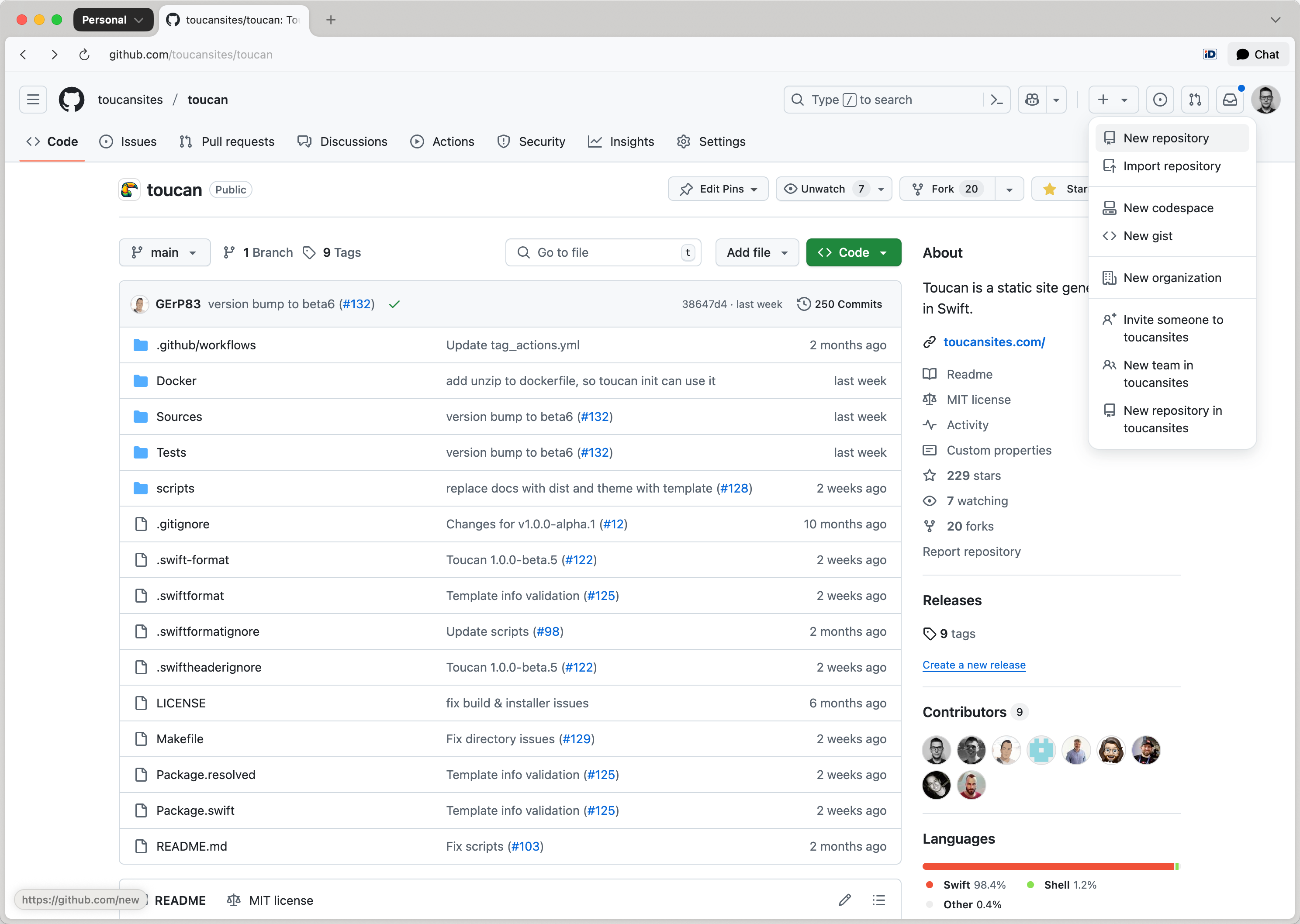
Navigate to the upper-right corner of any GitHub page. Click the + icon, then select New repository:
Note
The GitHub Pages URL of your website is going to be (without using a custom domain): https://owner.github.io/repository-name/.
From the Owner dropdown, select the user or organization account that will own the repository. Enter a custom name for the repository:
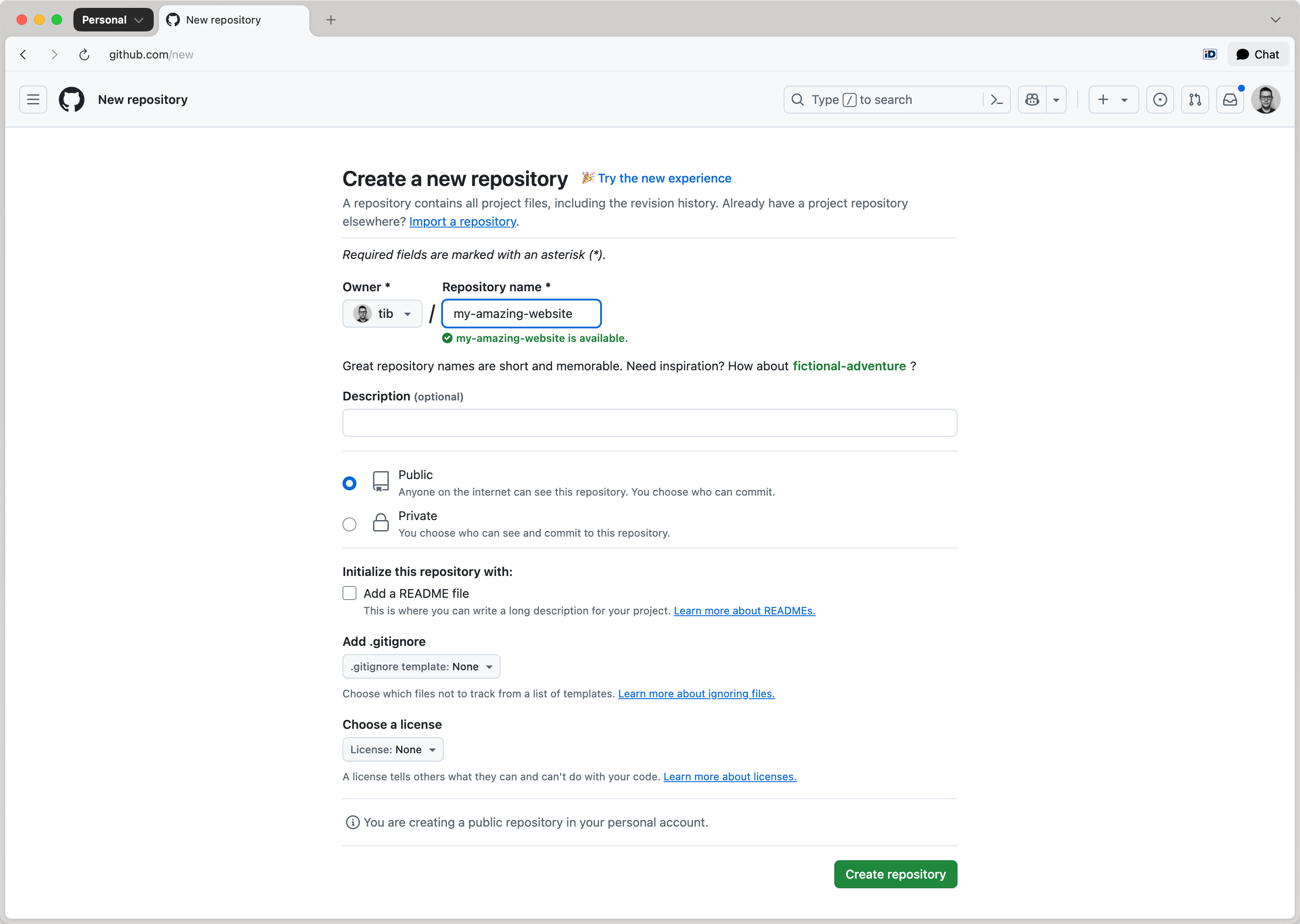
Set the repository visibility to Public. Read About repositories for details.
Note
GitHub requires public visibility for Pages sites hosted under Free or Free for Organizations plans.
Click Create repository to complete setup.