
Using a Custom Domain
You can configure your GitHub Pages site to be served from a custom domain, such as example.com, instead of the default GitHub URL.
Navigate to your repository on GitHub. Go to Settings → Pages.
Under the Custom domain section, enter your domain name and click Save:
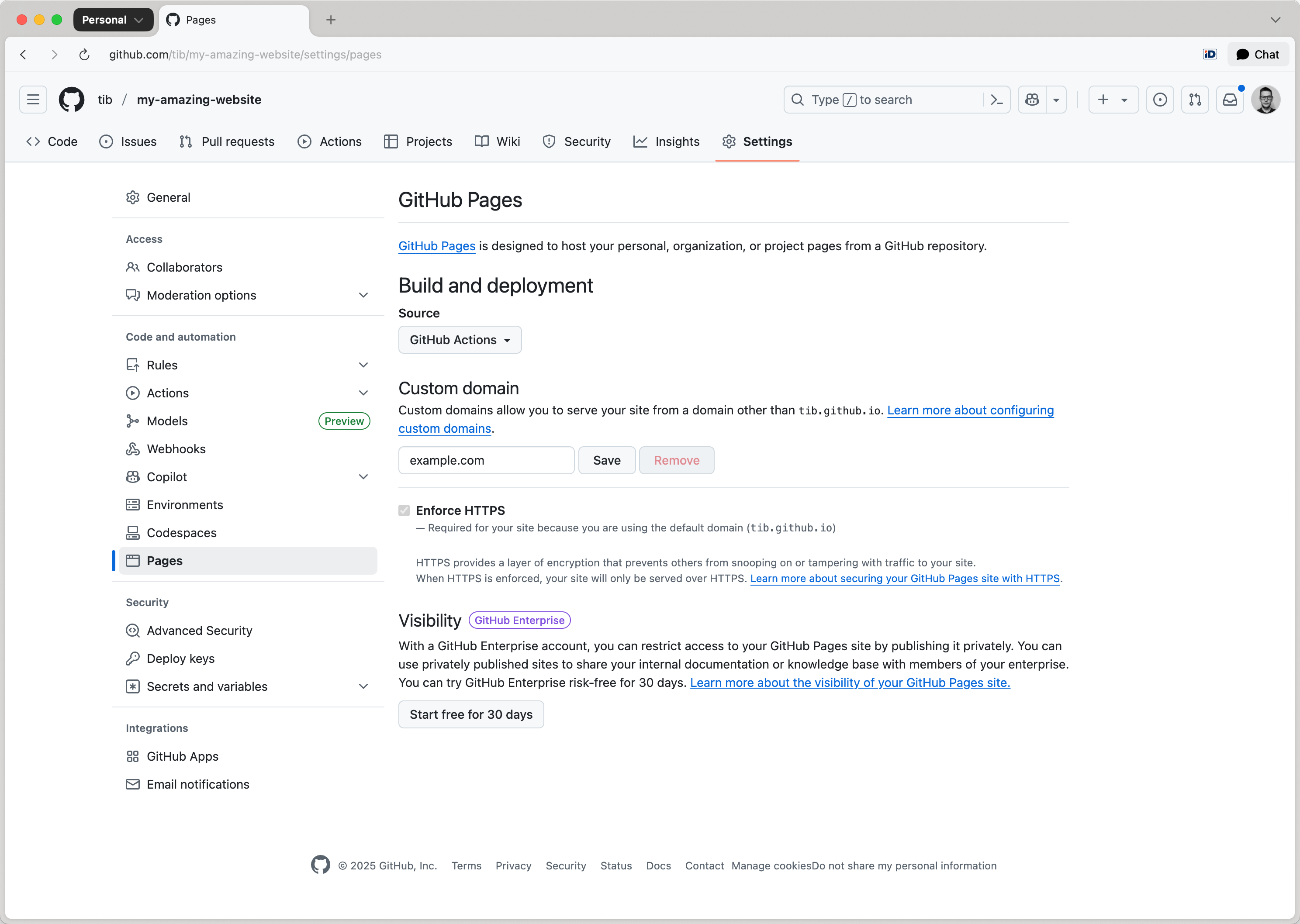
Make sure a CNAME file is in the deployed directory (usually dist/) when you deploy your site. To do this, create a CNAME file in the top-level assets directory with the following content:
example.com
Toucan will automatically move this CNAME file to the dist folder when your site is generated.
DNS Configuration
For Apex Domains (example.com), create the following A records in your DNS provider’s configuration:
185.199.108.153
185.199.109.153
185.199.110.153
185.199.111.153
For Subdomains (www.example.com), create a CNAME record pointing to your GitHub Pages URL:
owner.github.io
Replace owner with your actual GitHub repository owner name.
Enforce HTTPS
After DNS propagation is complete (which can take anywhere from a few minutes to 24 hours):
- Return to Settings → Pages in your GitHub repository.
- Enable the Enforce HTTPS checkbox to ensure secure access to your site.