
Deploying using GitHub Actions
After pushing your content to GitHub, configure GitHub Pages to publish your website using one of the supported deployment methods.
Navigate to your repository on GitHub. In the top menu, go to Settings → Pages under the Build and deployment section.
Choose how you want GitHub Pages to deploy your site, select the GitHub Actions option:
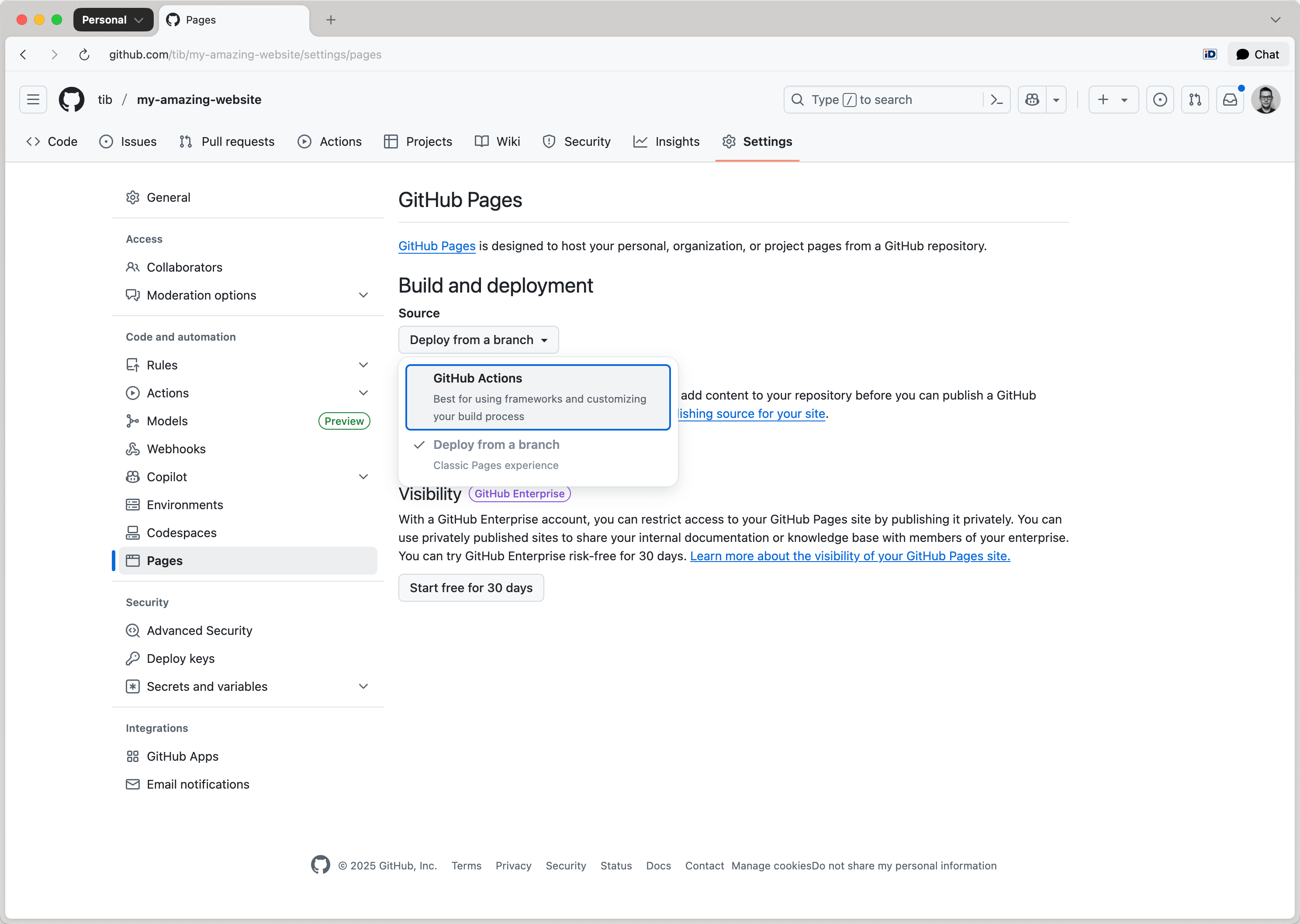
Verify that .github/workflows/deploy.yml exists in the repository. If your repository does not include the deploy.yml file, you can find an example at: toucansites/github-workflows:
name: Build and Deploy with Toucan

on:
  push:
    tags:
        - 'v*'
        - '[0-9]*'
    branches:
        - main

jobs:
  build-with-toucan:
    uses: toucansites/github-workflows/.github/workflows/deploy.yml@main
    permissions:
      contents: read
      pages: write
      id-token: write
    with:
      #version: "1.0.0-beta.6"
      target: "github-deploy"
Add, commit and push this file to your to your repository.
When deploying with GitHub Actions, the workflow will automatically select either:
- the
defaulttarget defined in yourtoucan.ymlfile, or - the explicit target specified in the
GitHub Actions workflowtrigger.
Ensure that your toucan.yml is correctly configured and that the appropriate target is used when initiating a deployment:
targets:
    - name: dev
      default: true

    - name: "github-deploy"
      output: "/tmp/output"
      url: "https://owner.github.io/repository-name/"
By default the GitHub pages has a protection rule, that only allows deployments from the main branch. If you are planning to deploy after you publish a release or tag the repository, you have to change this protection rule.
Navigate to the repository Settings click on the Environments menu item:
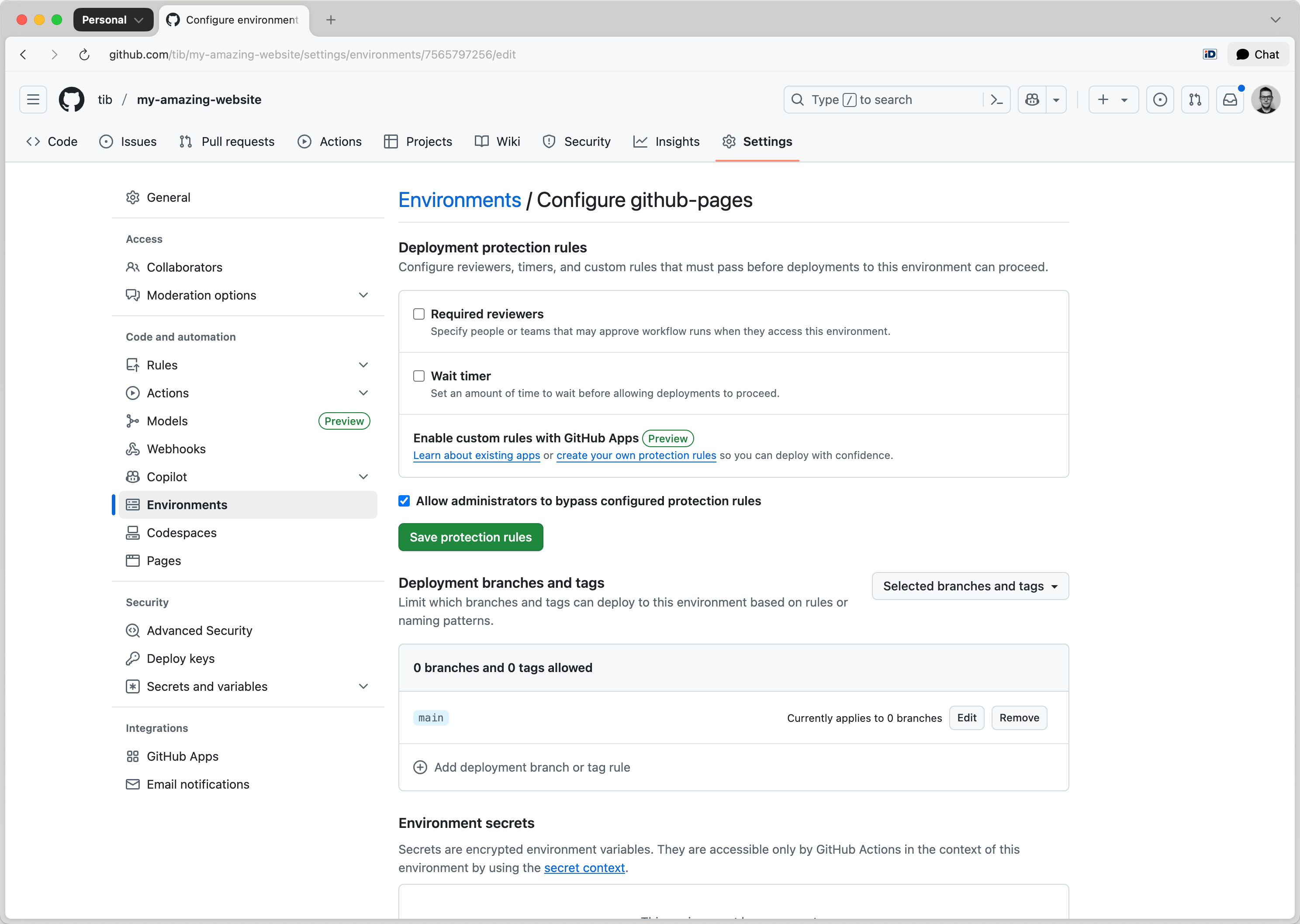
Click on github-pages, under the Deployment branches and tags section, select Add deployment branch or tag rule and set the Ref type to Tag:
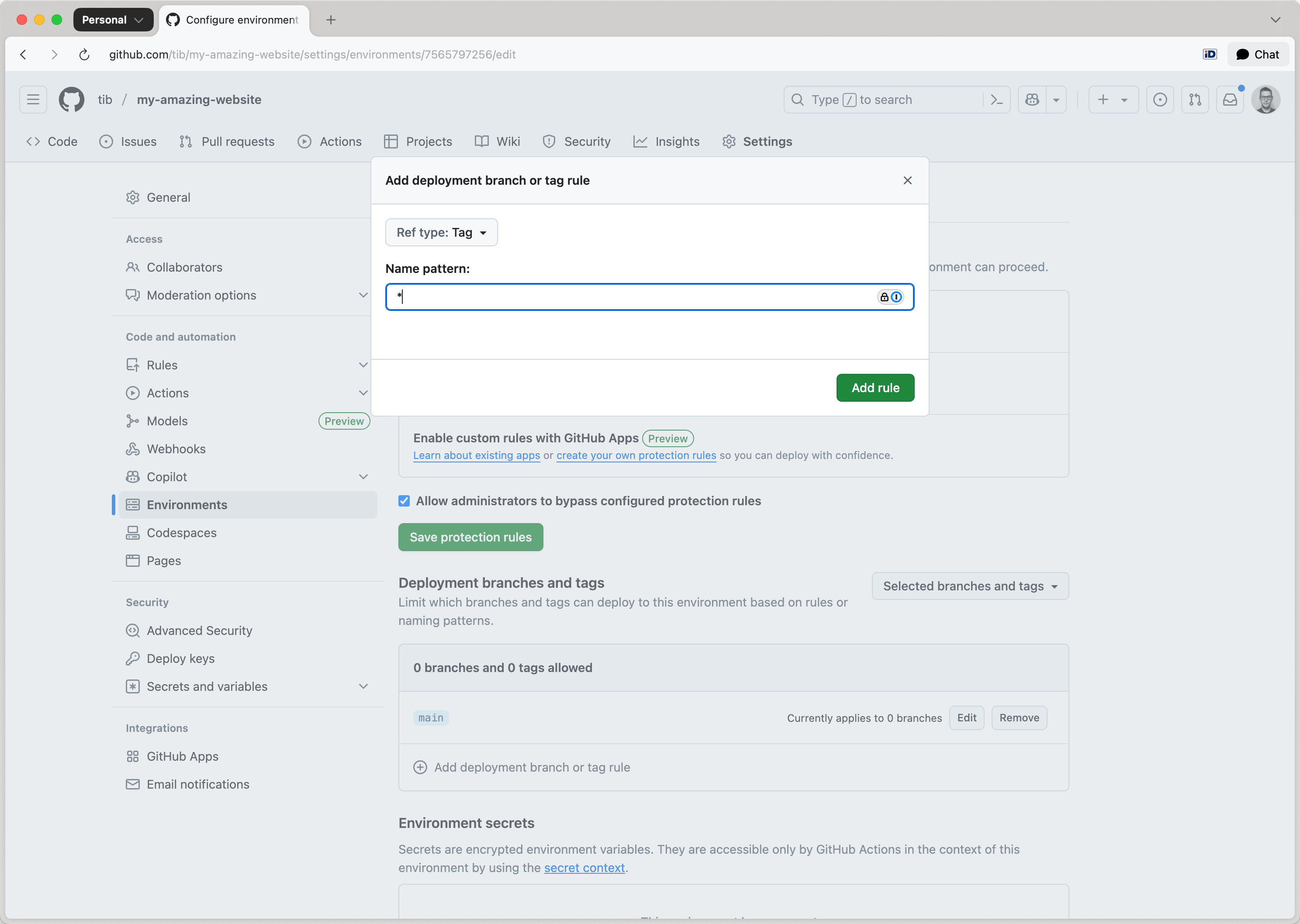
Enter a name pattern such as:
*— to allow all tags*/*— to support namespaced tags likerelease/v1.0.0v*-b*- to support beta releases, likev1.0.0-beta.1
Click Add rule to confirm the configuration.
Info
If the environment is not properly configured, deployments will be blocked with an error such as: Tag 1.0.0-beta.2 is not allowed to deploy to github-pages due to environment protection rules.
To trigger the GitHub Actions deployment workflow, create a new release or add a tag to your repository.